TenderKosh for EPC teams
Turn tender reading into faster bidding decisions.
Discover relevant tenders, monitor corrigenda, compare opportunities, and move from document reading to structured action.
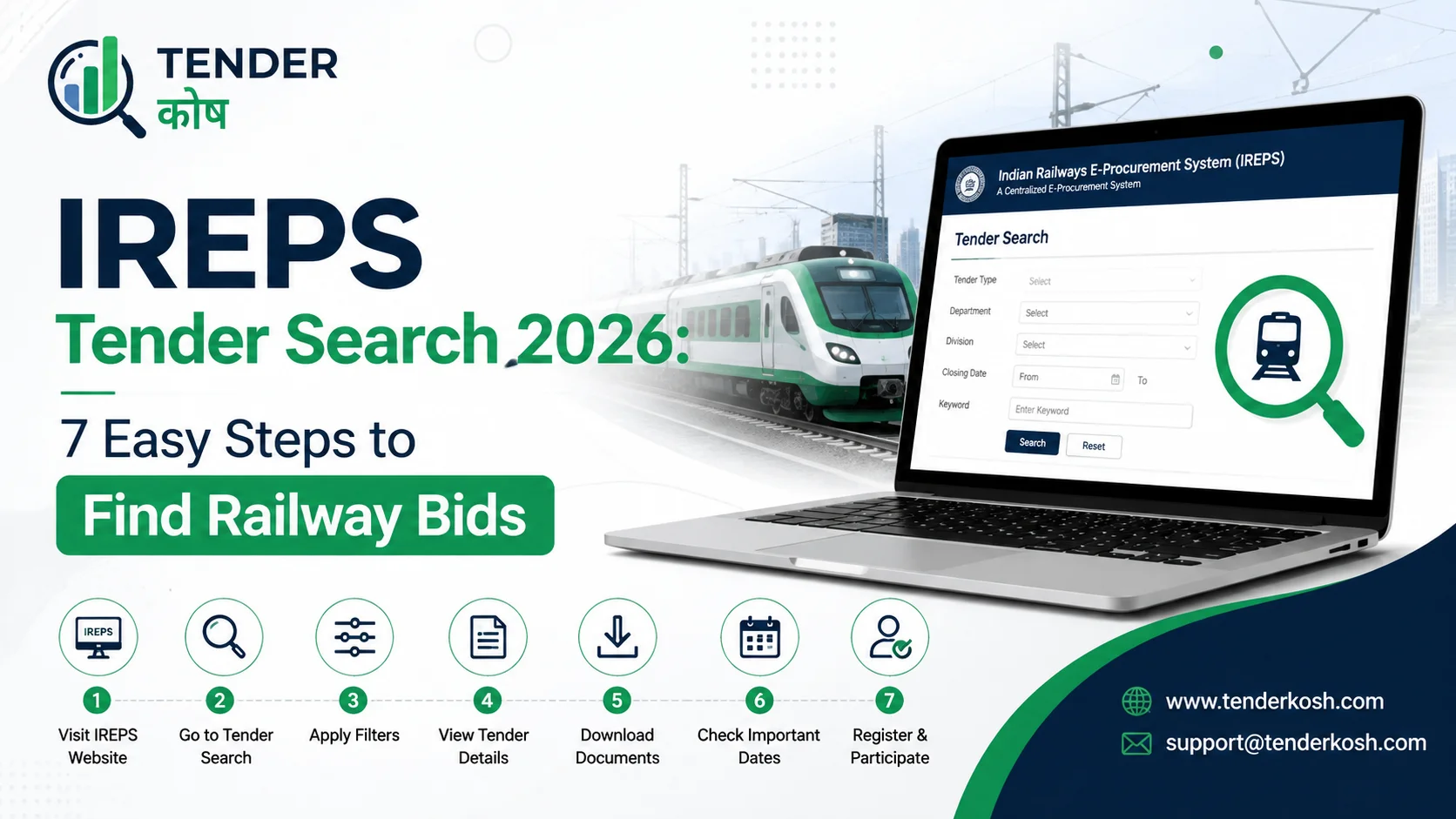
IREPS tender search happens at ireps.gov.in — the Indian Railways E-Procurement System, built by CRIS. Zonal railways, divisions, production units, workshops and stores depots all publish there, across three modules: e-tender for goods and services, works, and e-auction for leasing and scrap.
Registration is free but a Class III DSC is compulsory and must match your account details. The portal will show you tenders and flag corrigenda — it will not tell you when either appears. That checking is on you.
Indian Railways is one of the largest single buyers in the country, and almost none of its procurement runs through the portals most contractors already know. It has its own system, its own vocabulary, its own registration categories and its own quirks — which is why bidders comfortable on GeM or CPPP often find their first IREPS tender search bewildering.
Volume is the first problem with any IREPS tender search. Thousands of notices are live at any moment across every zone and production unit, described in railway terminology that does not always match how you would name your own product. The second problem is quieter and more expensive: amendments. Railways issues corrigenda constantly, and an IREPS corrigendum can change more than a date.
This guide covers the registration you need before your first IREPS tender search, a seven-step search and tracking workflow, how to read corrigenda properly, what the portal will not do for you, and the mistakes that cost bidders their submissions.
Key Takeaways
IREPS is the Indian Railways E-Procurement System at ireps.gov.in, developed by the Centre for Railway Information Systems. Procurement is decentralised across zonal railways, divisions, production units, workshops and stores depots, each buying for its own requirements — which is why the same category of work appears repeatedly across the network under different zone names.
| Module | What It Handles | Who Uses It |
|---|---|---|
| E-Tender (Goods & Services) | Stores procurement, material supply, maintenance and service contracts | Material vendors, service providers |
| Works | Civil, electrical and infrastructure works from zones and divisions | Registered works contractors |
| E-Auction / Leasing | Earning contracts, leasing rights, scrap and released material disposal | Commercial operators, scrap traders |
Pick your module before you start an IREPS tender search, not after. Registration categories differ for works contractors, material vendors and service providers, and searching the wrong module is the quickest way to conclude there is no work in your line.
Registration on IREPS is free. The digital signature is not, and it is where most first attempts at an IREPS tender search fail before they begin.
Go to the official portal directly, insert your DSC token and authenticate. Use a current browser, and confirm your certificate is valid before you start anything time-sensitive.
Why it matters: discovering an expired certificate at the submission screen is a self-inflicted loss, and it happens constantly.
Works, goods and services, and e-auction are separate systems with separate listings. A works contractor searching the goods module finds nothing relevant and vice versa.
Why it matters: most “there are no railway tenders in my field” conclusions are module errors, not a failed IREPS tender search.
Use the search tender page with keywords, then apply the zone-wise filter to restrict results to the railways you can realistically service. Vary your keywords — railway notices use departmental terminology that rarely matches commercial product names.
Why it matters: an IREPS tender search with one keyword and no zone filter produces either nothing or an unusable wall of results.
Add relevant notices so they appear under My Tenders. The live view shows what is still open and the closed view what has passed — together they are your working pipeline rather than a search you re-run from scratch each morning.
Why it matters: tracking a shortlist turns IREPS tender search into a routine rather than a daily trawl.
A corrigendum indicator appears against tenders on the search page and in both My Tenders views. Open it to list every amendment issued, then view the individual corrigendum letter for detail.
Why it matters: the eligibility you are assessing may already have changed. Check before investing effort, not after.
Read the qualification clause first. Goods tenders may require item-specific vendor approval you do not hold; works tenders may require zone registration or a credential threshold you cannot meet.
Why it matters: an hour on pre-qualification criteria saves the three weeks that go into an ineligible bid.
Submit well before closing — late bids are strictly not accepted. Afterwards, follow the tender through its status indicators, commonly open, under evaluation and awarded.
Why it matters: status tracking tells you when to expect an outcome, and builds a record of which zones and categories actually convert for you.
IREPS shows you railway work only, and only when you go looking. Track IREPS alongside GeM, CPPP, SECI, NTPC and state portals in one place — filtered by category, value and location, with corrigendum alerts the moment a tender you follow changes.
After an IREPS tender search, most bidders check corrigenda for one thing: has the deadline moved. That is the least consequential change a railway corrigendum can make.
An IREPS corrigendum can revise the tender conditions, the advertised value, the earnest money deposit and the tender document cost. A revised EMD means the instrument you already arranged may no longer be valid — wrong amount, wrong validity. A revised advertised value can push the tender above or below your qualification band. Neither is visible if you only scan for a new date.
The routine that works: check the corrigendum listing when you shortlist, again mid-preparation, and once more immediately before you submit. If an amendment revises quantities, rebuild your pricing from the amended file rather than editing your earlier version — our guide on BOQ in tenders covers why. For how amendments work across Indian procurement generally, see what a corrigendum in a tender is.
An IREPS tender search ends in a submission structured into named tabs, and evaluators assess each one. Knowing the structure before you start prevents the scramble of hunting for a document you never prepared.
GST applicability is a recurring error. Quoting inclusive where exclusive was required, or applying the wrong rate, produces a financial bid that does not mean what you intended — and price bids are not usually correctable after submission.
IREPS tender search is a publication and transaction function, not a business development tool. Being clear about that is more useful than pretending otherwise.
For a firm bidding a few railway tenders a year, manual IREPS tender search works fine. For a firm running a pipeline across zones, the arithmetic changes. Either way the bid itself is submitted on IREPS.
Most guides end at submission. The portal does not. Post-contract activity runs through IREPS too — digitally signed receipted challans and R-Notes issued by stores depots against purchase orders appear under their own tabs, and suppliers select the relevant document when submitting bills online for supplied items.
This matters commercially because it is where payment lives, long after the IREPS tender search that started it. A supplier who understands the post-contract workflow gets paid faster than one who treats award as the end of the process. IREPS publishes a vendor manual on post-contract activities in its Learning Centre — worth reading before your first award rather than after it.
These recur across zones and categories, and almost all of them are procedural rather than commercial. None requires expertise to avoid — only method.
For the full list of what causes bids to fail across Indian procurement, see our guide to tender bid rejection reasons.
IREPS is the Indian Railways E-Procurement System, hosted at ireps.gov.in and developed by the Centre for Railway Information Systems. It is the platform on which zonal railways, divisions, production units, workshops and stores depots publish and manage tenders for works, goods and services, along with e-auctions for leasing and scrap disposal.
Registration on the IREPS portal is free. What costs money is the Class III digital signature certificate you must obtain from a licensed certifying authority, and any tender document cost or earnest money deposit specified in an individual tender. Approval of a registration request commonly takes a few working days, and the portal may raise a query requiring a digitally signed response.
A Class III digital signature certificate is compulsory, issued in the name of the firm or an authorised person. The details on the certificate must match your IREPS user account, and an expired or mismatched DSC is one of the most common reasons vendors fail at registration or at bid submission. The portal provides a formal request process for changing a DSC, where the new certificate name must match the account.
A corrigendum indicator appears against tenders on the search page and in the My Tenders live and closed views. Opening it lists every corrigendum issued against that tender, and a further option displays the individual corrigendum letter. Amendments can change tender conditions, the advertised value, the earnest money deposit and the tender document cost, so check before preparing and again before submitting.
Tracking is built into IREPS tender search. Log in and use the My Tenders section of your dashboard, where tenders you are following are listed with status indicators such as open, under evaluation and awarded. You can search within it by tender number or filter by department, date or tender type, and download associated documents from each tender detail page.
IREPS is built to publish tenders and receive bids rather than to monitor the market for you. It provides dashboard views and a corrigendum indicator, but checking for newly published tenders and for amendments on the tenders you are following is your responsibility. That manual checking burden is why many bidders miss corrigenda and get disqualified on outdated documents.
Much of an IREPS tender search can be run without an account, because tender notices are published in the public domain, which makes the portal usable for market research. Registration with a mapped Class III DSC becomes necessary to access certain documents, add tenders to your tracked list, participate and submit a bid.
An IREPS tender search rewards routine over effort. A weekly pass through the right module, filtered by the zones you can actually service, with a shortlist tracked in My Tenders, surfaces more usable work than an occasional trawl through everything.
And remember what the portal will not do. It will not tell you when a relevant tender appears, and it will not tell you when one you are already preparing has changed — including changes to EMD and advertised value that a quick glance for a new deadline will miss entirely. Build the checking habit or automate it, but never read silence as nothing having moved.
Note: portal features, module names, screen labels, registration steps and approval timelines are set and revised by the operating authority and may change without notice. Descriptions above reflect publicly documented behaviour of IREPS at the time of writing, drawn from the portal’s own material and industry guidance. Zonal railway counts vary between published sources, so this article does not state one. Always follow the instructions in the individual tender document, the IREPS Learning Centre manuals and the portal itself, which prevail over any third-party description including this one.
This article is general information, not advice. It has been compiled from publicly available sources — government releases and notifications, official portals, published tender documents and trade reporting — and reflects our understanding at the time of writing. It is not legal, financial, tax or professional advice, and it does not create any advisory relationship.
Public procurement changes constantly. Tender terms, eligibility criteria, thresholds, fees, deadlines, scheme conditions and government policy are revised frequently, often through corrigenda issued mid-window and sometimes without wide notice. Figures and rules that were accurate when published may already have changed by the time you read this.
Always verify against the primary source before you act or bid. The tender document, the issuing authority's official portal and the relevant government notification are the authoritative sources. Where anything in this article differs from them, the official source prevails. Do not rely on this page — or on any third-party summary — as the basis for a bid, an investment or a compliance decision.
TenderKosh is a private tender-intelligence platform. We are not a government body, and we are not affiliated with, endorsed by or acting on behalf of any government department, ministry, PSU or procurement portal. Names, marks and portals referenced belong to their respective owners and are used for identification only. External links are provided for convenience; we do not control and are not responsible for third-party content.
While we take reasonable care, we make no warranty as to the accuracy, completeness or currency of this content, and accept no liability for any loss or damage arising from reliance on it.Spotted something wrong or out of date? Please tell us at support@tenderkosh.com — we correct errors promptly.See our full Disclaimer.
Discover relevant tenders, monitor corrigenda, compare opportunities, and move from document reading to structured action.